The Sessions tab provides a chronological log of user activity related to authentication and token usage. It is primarily used for security auditing, troubleshooting login issues, and monitoring token lifecycle events.
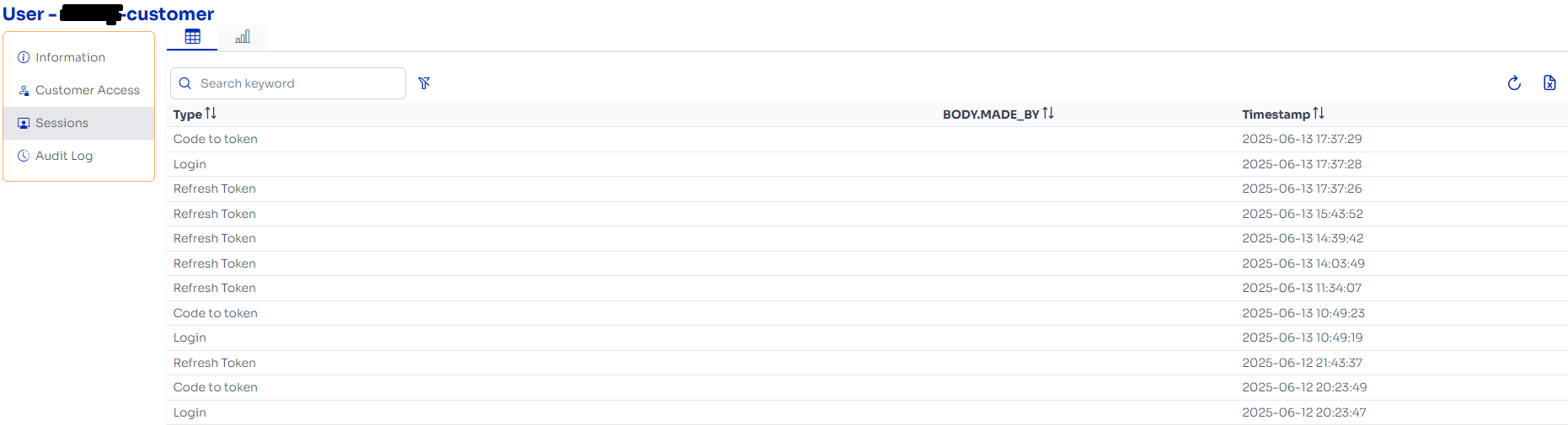
Table Columns
Type
Indicates the session or event type:Login: The user logged in via the UI.Code to token: An authorization code was exchanged for a token (OAuth flow).Refresh Token: A refresh token was used to obtain a new access token.
Timestamp
The exact date and time the session or event occurred. Sorted by most recent first.
Toolbar (Top Right Icon)

Refresh Icon
Reloads the session list to show the most recent session events without refreshing the entire page.
.png) Copy Icon
Copy Icon
Function: Copies the current session table data to your clipboard in plain text or CSV-like format.
.png) Settings Icon
Settings Icon
Function: Allows you to configure visible columns, apply filters, or adjust sorting behavior.