You can navigate to the Create User page through either of the following paths:
From the Customer Detail Page:
Use the Users option in the left-hand navigation pane to manage users specific to that customer. Then click Add User.From the Top Navigation Bar:
Go to Administration > Users in the top menu. This view lets you manage users across all accessible customers.
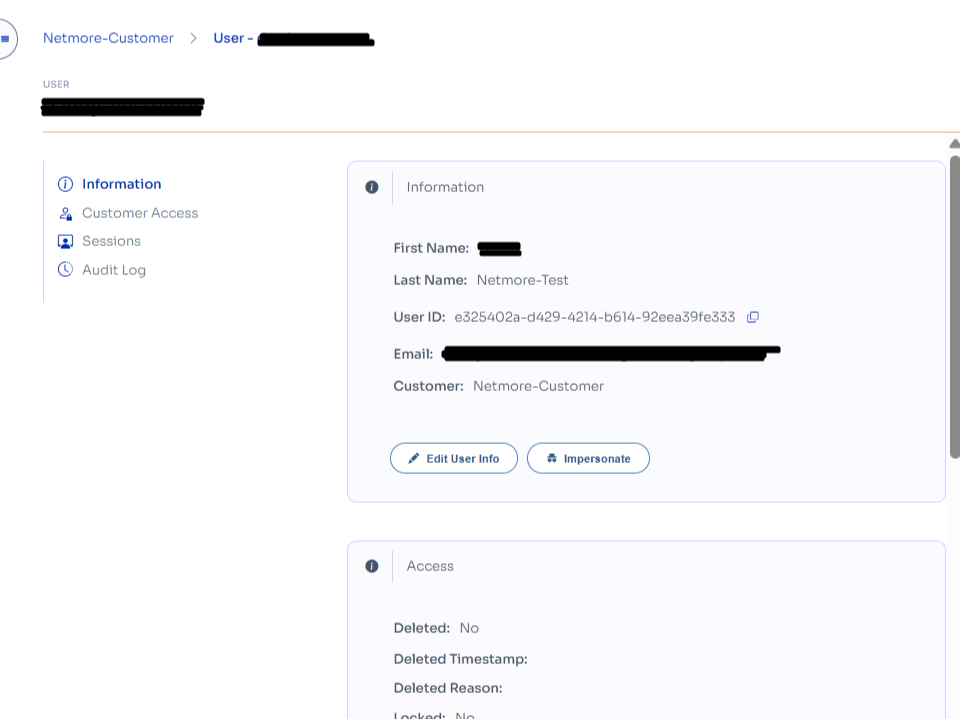
Side Navigation Panel
Information – Returns to the current view.
Customer Access – View or manage which customers this user can access.
Sessions – Displays recent login or API session activity.
Audit Log – Shows user-specific actions for traceability.