The following is the mobile view of the Netmore connect.
Customer Dashboard
.png)
Cards and sections are stacked vertically for better readability and accessibility on smaller screens. Users can scroll down to view customer details, actions, and device data in a linear flow.
Navigation Panel
.png) The navigation menu is accessed via the hamburger icon in the top left corner. When tapped, it expands into a vertical list displaying key navigation options such as Home, Devices, Gateways, and Administration modules.
The navigation menu is accessed via the hamburger icon in the top left corner. When tapped, it expands into a vertical list displaying key navigation options such as Home, Devices, Gateways, and Administration modules.
.png)
Customer Panel
.png)
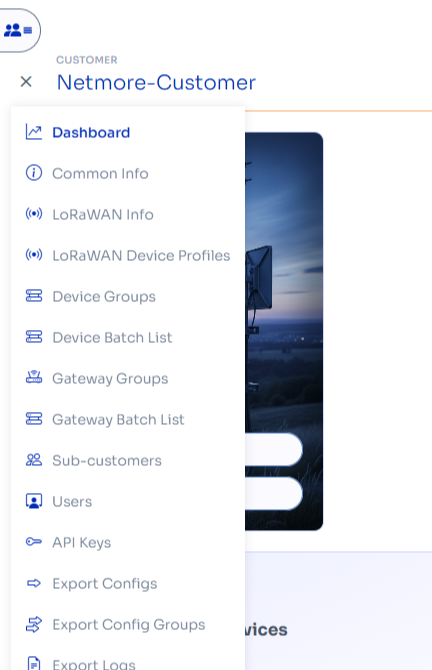
The navigation menu is accessed via the hamburger icon in the top left corner. When tapped, it expands into a vertical list displaying key navigation options such as Dashboard, common info, LoRaWAN Info, etc.
Customers Panel
.png)
The customer panel becomes a dropdown menu. Tapping it reveals a list of available customers and sub-customers, allowing the user to quickly switch context between accounts.