After logging in to app.connect.netmoregroup.com, users are directed to the Homepage. Here you can view all customers you have access to, and for each customer, it’s possible to view dashboards on specific information such as gateways, devices, custoemer, etc.
.png)
Navigation Panel
.png)
More detail information can be found here
Customers Panel (Left Sidebar)
Displays the hierarchical structure of customers and sub-customers.
Initially the sub-customer panel will be hidden in this panel, then it can be extendable to show all the entity

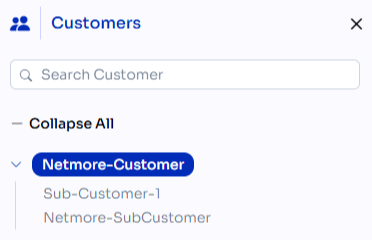
Click a customer (e.g., Netmore-Customer) to view and manage associated resources.
The tree can be collapsed to show the sub-customer or filtered using the search bar
Right Side Drawer (Right Corner)
On Top right side corner of the home page user can navigate to Right Side Drawer.
.png)
It will show the following option
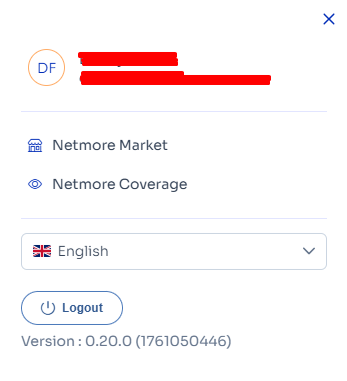
User Information
Displays the user's initials, full name, and email address to confirm the active account.Netmore Market
Provides a link to the Netmore Market, which may include services, subscriptions, or device management features.Netmore Coverage
Opens a tool or page that shows network coverage data based on geographic location.Language Selector
Allows the user to change the interface language. The current language is English.Logout Button
Logs the user out of the current session and returns them to the login page.Application Version
Displays the current version of the application for reference or support purposes.